Inspections leave gaps between visits
Your team records what it sees during each inspection. Between visits, a violation may go undocumented, leaving a gap when you need to review PPE use checks in that area.

For workplace safety teams and auditors: review violations with photos, dates, times and cameras in a searchable history to support PPE use checks.
Your team records what it sees during each inspection. Between visits, a violation may go undocumented, leaving a gap when you need to review PPE use checks in that area.
A photo in a chat, a time in a spreadsheet and no camera identification. Bringing this information together takes time and makes it harder to establish the context of an incident.
Without a searchable history, comparing accounts and identifying recurring violations means reconstructing each incident. Your team lacks a shared reference for assessing violations and preparing records for analysis.
On site Local inference and storage
Cameras
ONVIF or RTSP capture the monitored area.
Device
Detects the infraction and stores the record locally.
On the platform Evidence and remote access
SafeWatch
Photographic evidence and infraction history.
Alerts
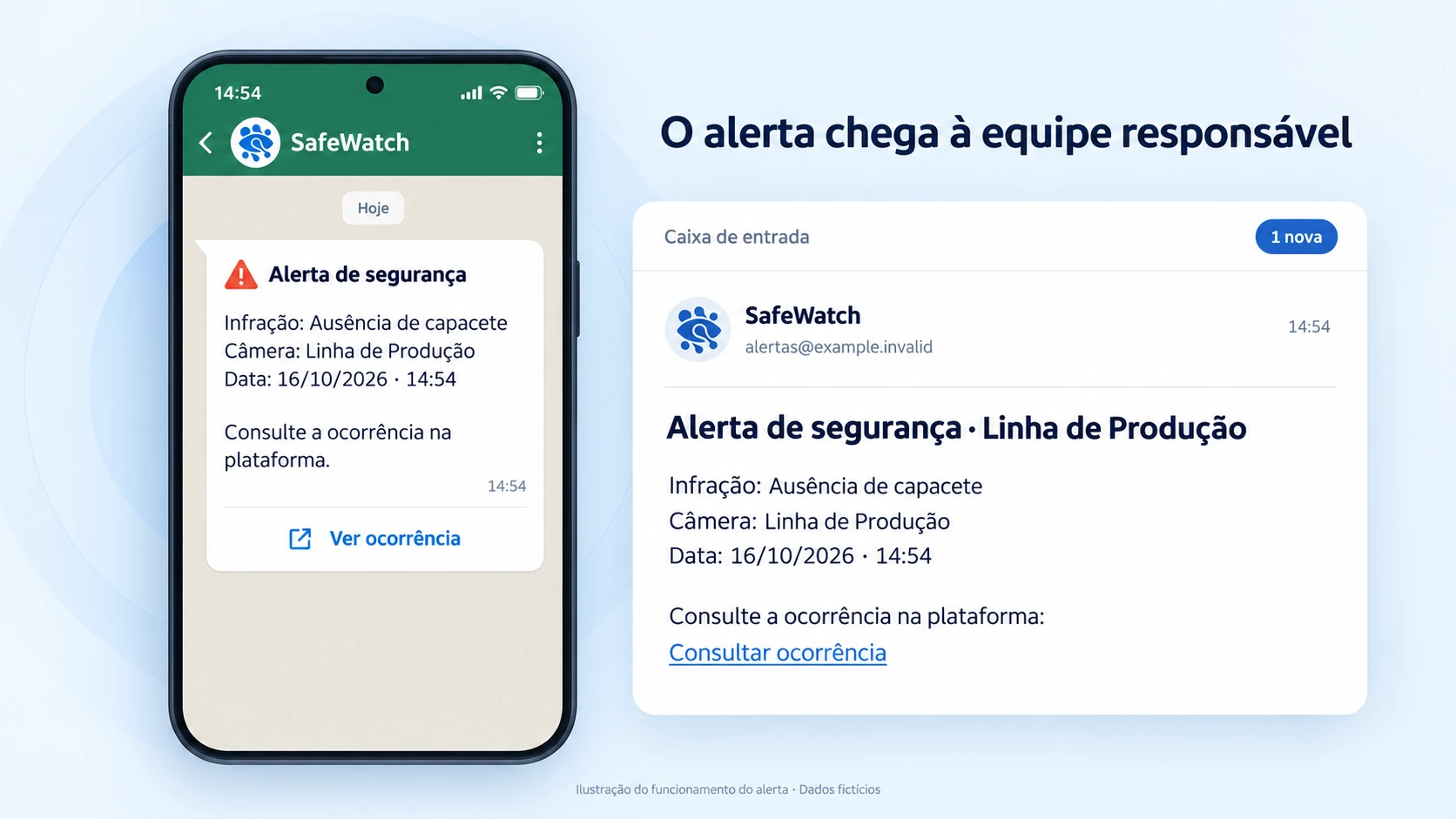
WhatsApp and email receive data and a link. The photo stays in the platform.
Management
Dashboard and reports to review records.
An illustration of the architecture, not a product screen.
Assess existing cameras using ONVIF or RTSP, or new camera locations. Configure the required PPE and the restricted area monitored by each camera.
The device at your plant processes the images. A detected violation creates photographic evidence with its date, time, camera and type, available for review in the platform.
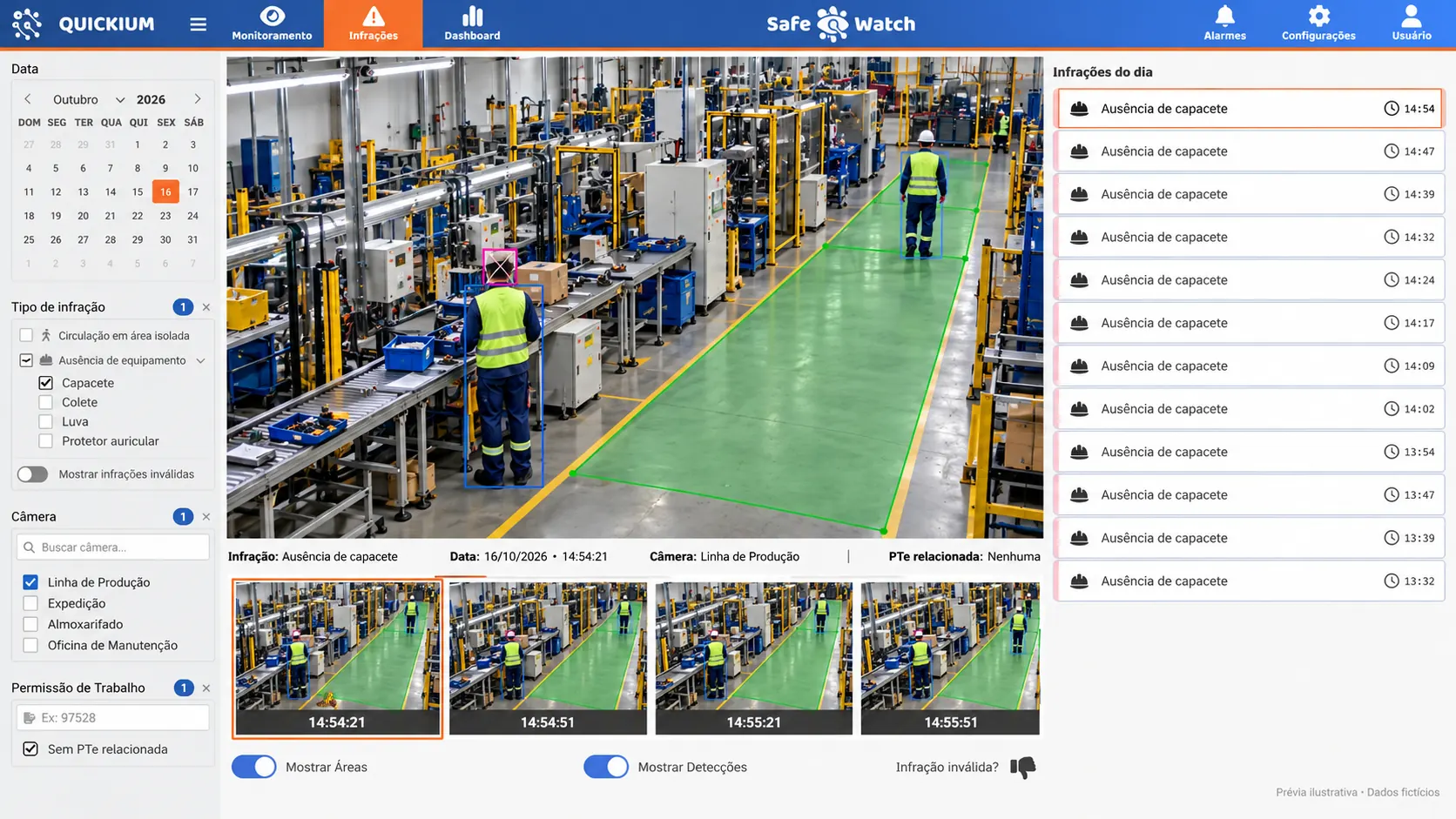
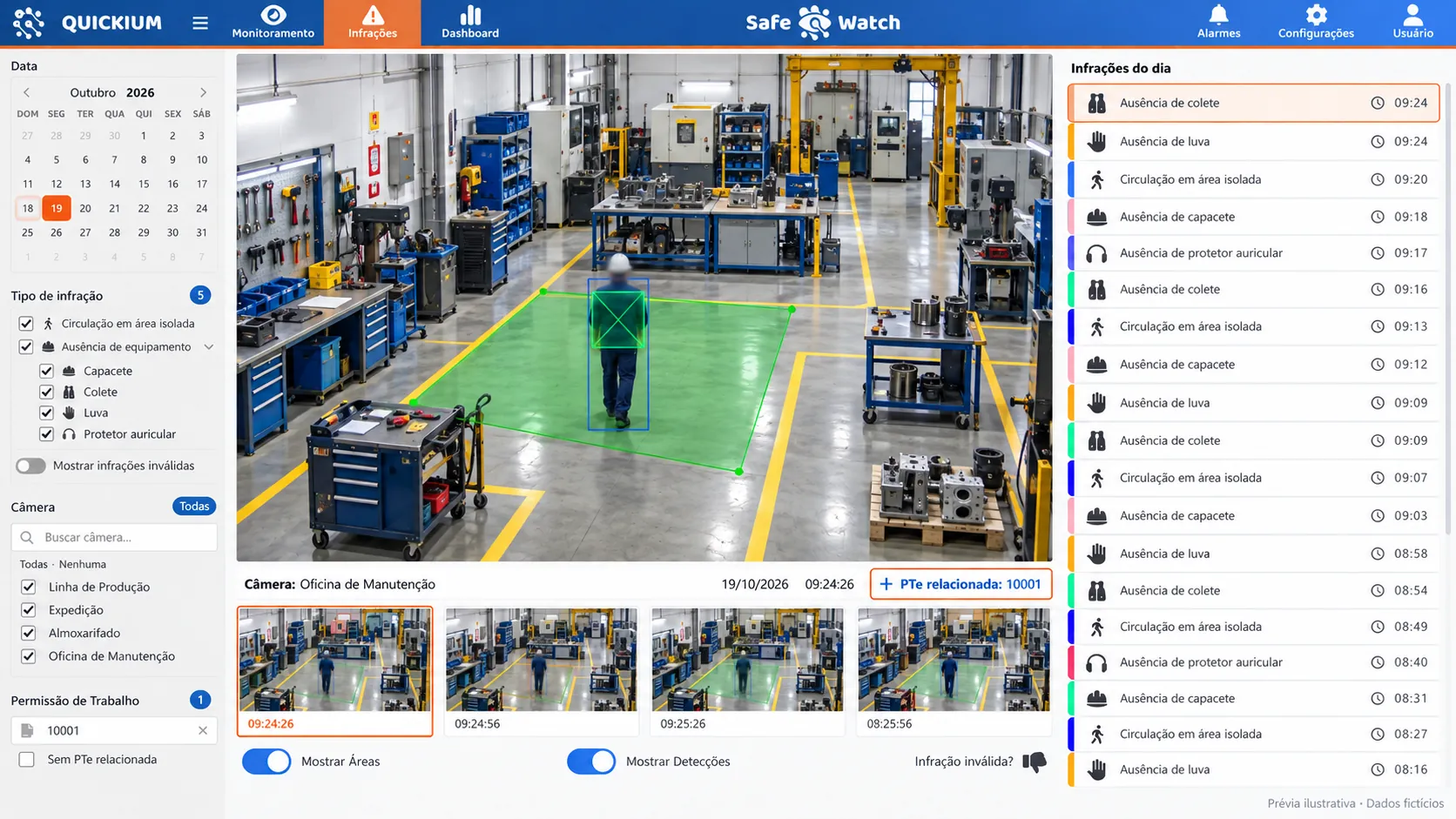
Open the photo in the platform from the alert link. Check the date, camera and violation type, and use history filters to review the incident.
WhatsApp and email alerts include violation details and a link to view the photo in the platform.
Review the photo, date, time, camera and violation type. An X marks the missing PPE to help your team review the incident.
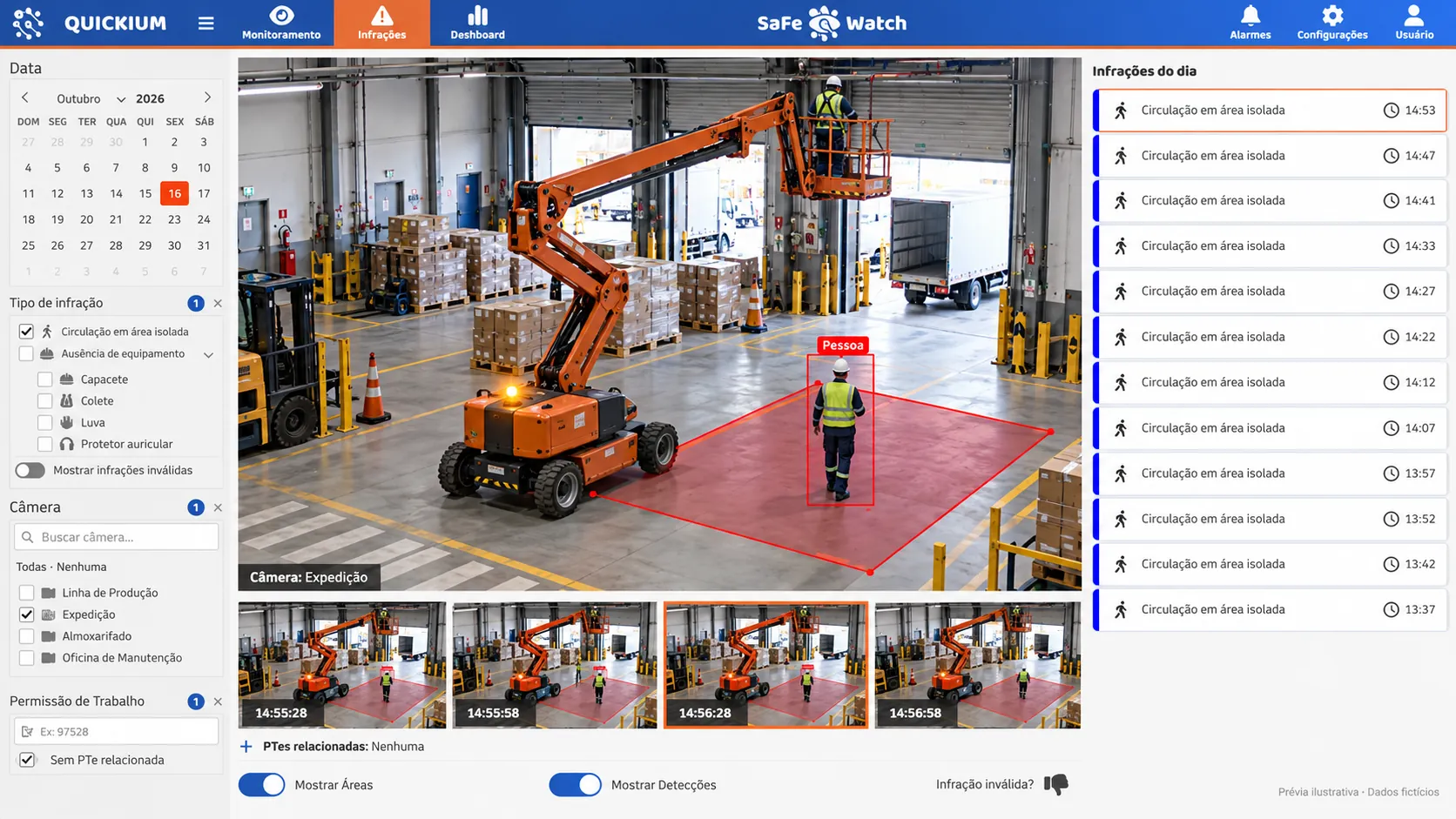
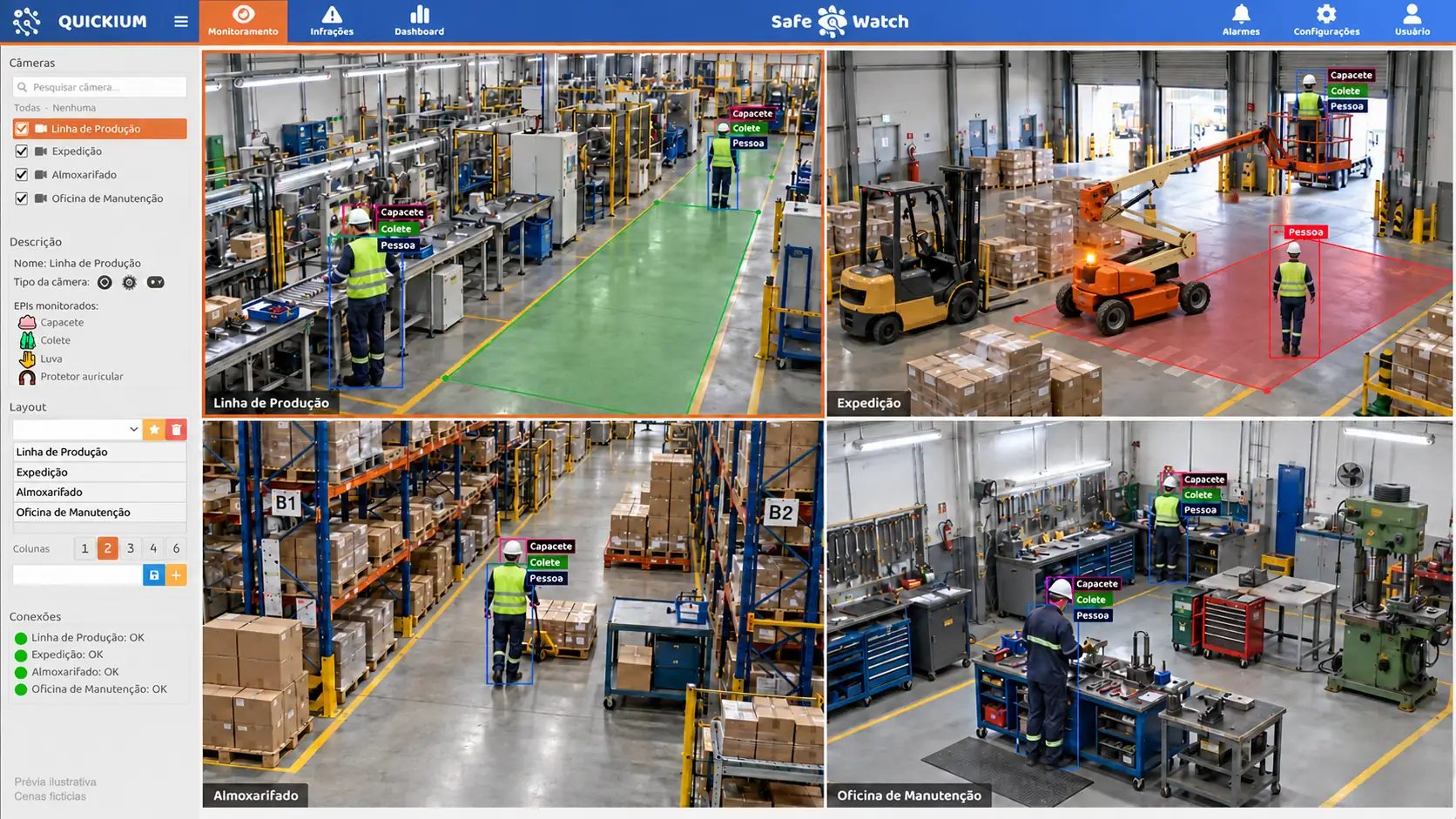
Define restricted areas for each camera and the required PPE for each area. Restricted area intrusion generates a record and an alert according to your configuration.
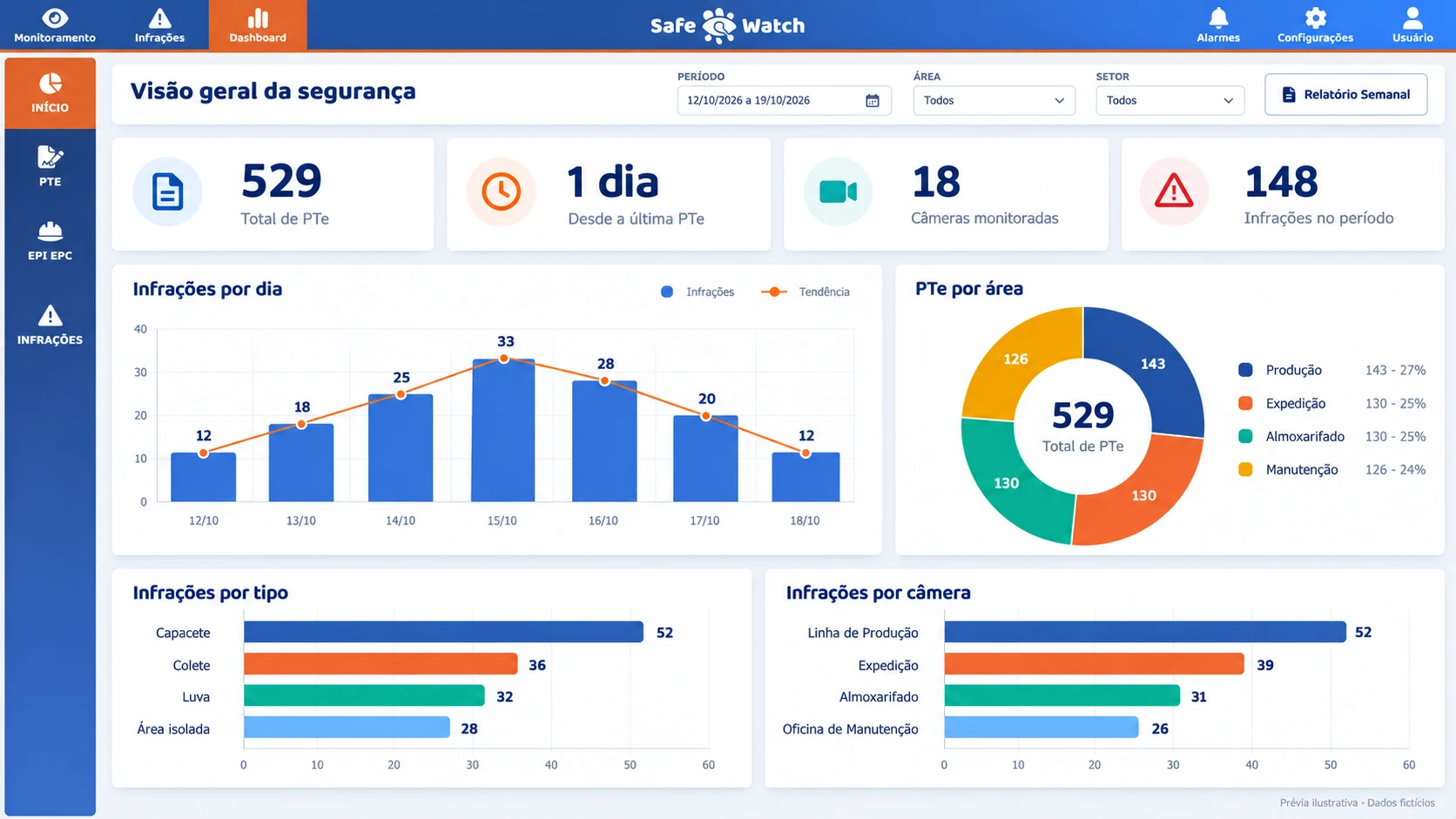
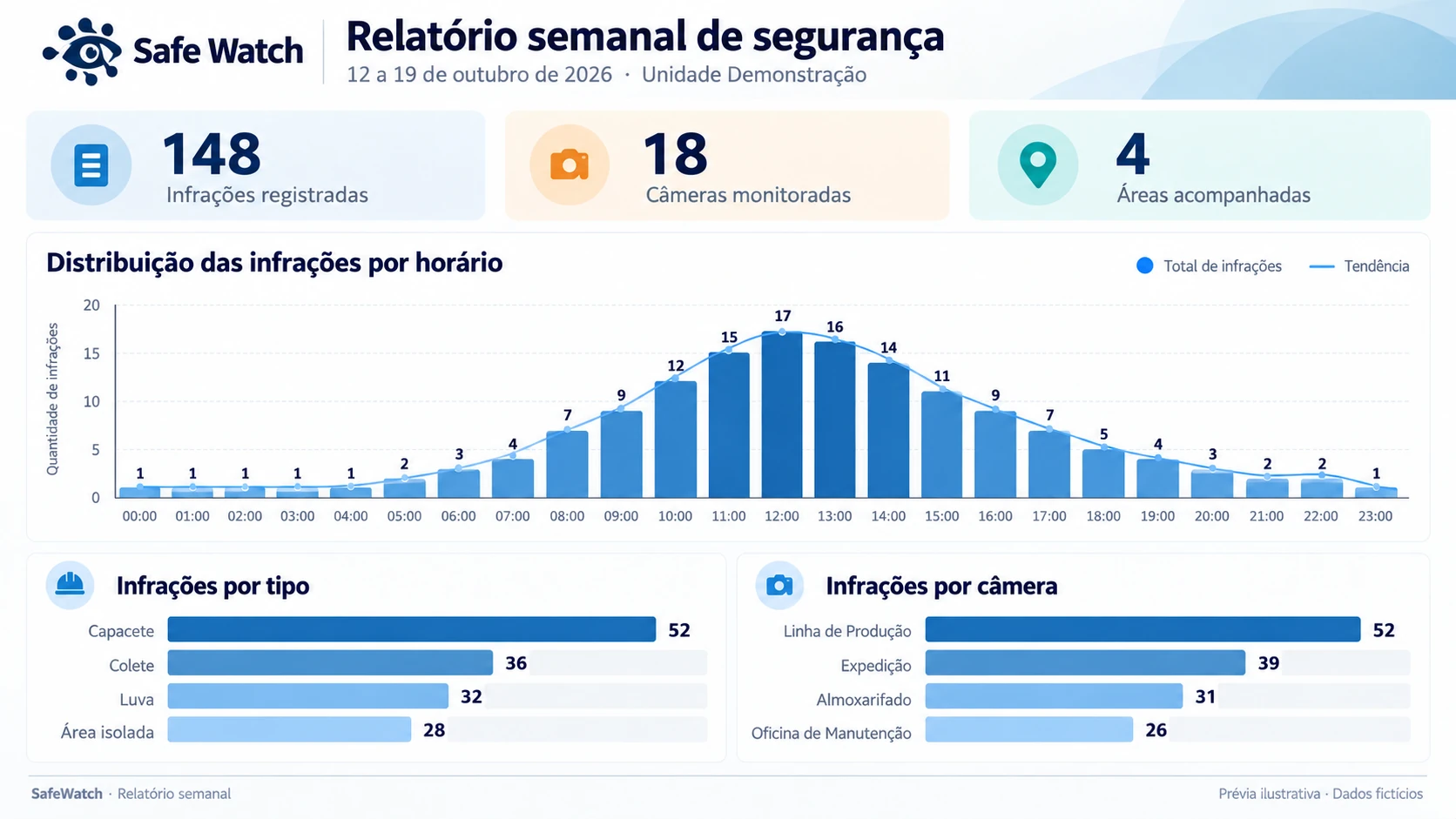
Review dashboard indicators and filter the history by date, camera and violation type.
Receive the weekly PDF report by email every Monday at 7 a.m. and bring the records to your team meeting.
Receive work permits via API, link cameras to active permits and monitor the required PPE. Integration is assessed as part of the project.
Find violations with photos and context to review PPE use checks in monitored areas.
Use the history to discuss recurring violations with your team and guide the response in each area.
Assess image sources, access roles and work permit integration via API.
For activities related to Brazil's NR-6 regulation, photos and historical records support checks on PPE use. Detecting PPE presence does not certify its suitability. Records help organize information for analysis related to ISO 45001. They do not constitute compliance certification or automatically establish legal validity. SafeWatch is an administrative control that complements, and does not replace, engineering controls.
In the platform illustrations, review the photo, the missing PPE marked with an X, the date, time and camera. Explore the history filters and dashboard indicators.
Bench images and fictional data show how evidence can be reviewed. Check the record fields, the context of each image and the filters available in the platform.
Review the missing PPE, date, time and camera in the demonstration violation record.
See how camera, date and violation type help locate a record for review.
Explore the demo dashboard with fictional data and discuss what your team needs to monitor.
The device receives images via ONVIF or RTSP. Quickium assesses compatibility, framing and the condition of existing cameras before deciding which can be reused and where new cameras are needed.
Detection can run on the device at your plant, with temporary local storage when the platform is unavailable. Remote alerts, record uploads and platform access require a connection. Local processing does not keep these remote services running without internet access.
Registered recipients receive violation details and a link through WhatsApp and email. The link opens the photo in the platform. Channels are configured by camera in the platform's Alarmes (Alarms) tab.
Each violation can include up to ten images, captured at 30-second intervals for up to five minutes, with role-based access. This is the capture window, not the storage period.
Hard hats, high-visibility vests, gloves and earmuff hearing protection. Required PPE is configured for each monitored area. Presence detection does not certify the PPE's Brazilian Certificate of Approval (CA), validity or suitability. Other equipment requires a separate assessment.
Position, distance and lighting need assessment in the scene. The installation assessment defines operating conditions; detection is not guaranteed in every situation.
Green and red zones are drawn for each camera in the platform. Configuration defines the restricted area and required PPE. Monitoring detects restricted area intrusion and generates alerts according to the configured rules.
SafeWatch receives work permits from your system via API, links cameras to active permits using configurable criteria and monitors required PPE. Violations can be associated with permits in the platform. Your system still issues the permits; integration is assessed as part of the project.
The number depends on device configuration and the monitoring scenario. The proposal defines sizing for the assessed cameras and areas, without assuming a universal camera count.
Deployment covers a camera assessment, device sizing, and area and PPE configuration. The SafeWatch Course is already available in the platform: nine modules with questions, progress tracking and a numbered certificate. Scope, responsibilities and training conditions are defined in the proposal.
Pricing on request. The proposal depends on the number of cameras, areas and plants, as well as deployment scope. Contact us through the form to assess your operation and receive a proposal.
Once cameras are on and monitoring is configured, detected violations start generating records. The deployment schedule is defined after assessing the environment. Available records do not prove accident reduction; results require monitoring of the operation.
Talk to Quickium about the records your team needs to review. An assessment of cameras and available images guides the scope of a video safety assessment. Request the terms and image-use requirements for your operation. Pricing on request.
Assess my operationTell us how your team documents violations today and what evidence it needs to review. Request a demo to explore the history and assess how it can support your PPE use checks.
Pricing on request, based on cameras, areas, plants and scope.
Tell us what you would like to monitor and request a SafeWatch demo.
To contact Quickium, use WhatsApp or the email in the footer.
Reference: